Flow 4: Sync Line Item Deletion
This flow fires when a product is removed from the Opportunity. It deletes the matching row from the Opportunity Products data sheet using the async variant of the Delete Rows by Criteria action.
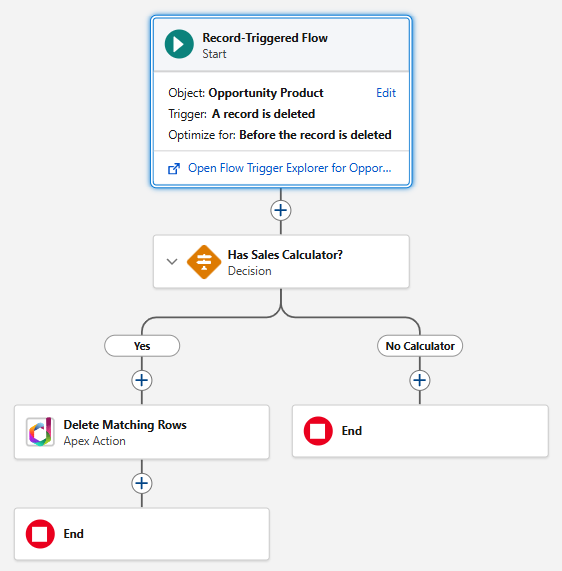
Create the Flow
- Go to Setup > Flows > New Flow.
- Select Record-Triggered Flow.
- Configure the trigger:
- Object: Opportunity Product (OpportunityLineItem)
- Trigger the flow when: A record is deleted
Check for Calculator
- Add a Decision element same as in the line item creation flow. It makes sure nothing is executed if there is no calculator spreadsheet.
Delete the Row
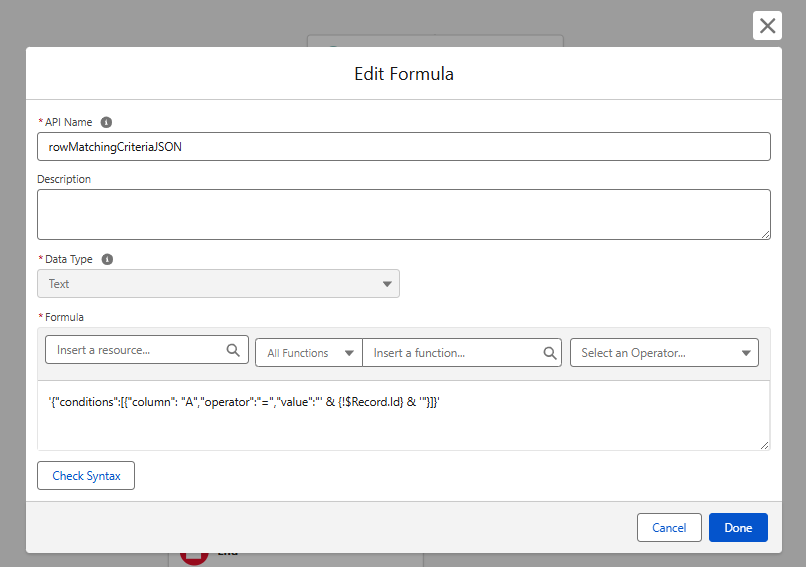
- Create a formula resource:
CriteriaJson (Text) - see Row Matching Criteria for the full criteria format reference.
'{"conditions":[{"column": "A","operator":"=","value":"' & {!$Record.Id} & '"}]}'
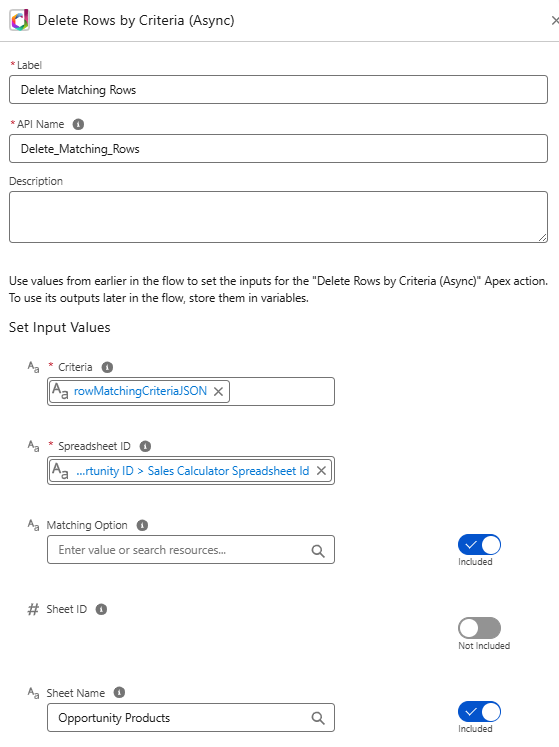
- Add an Action element:
- Action:
Delete Rows by Criteria (Async)(DriveMate) - Spreadsheet ID:
{!$Record.Opportunity.SalesCalculatorSpreadsheetId__c} - Sheet Name:
Opportunity Products - Criteria:
{!CriteriaJson}
- Action:
Why the Async variant?
Record-triggered flows that fire on deletion do not support asynchronous paths. This means you cannot use actions that make synchronous callouts. The Delete Rows by Criteria (Async) variant queues the callout in a separate transaction, working around this platform limitation.
- Save the flow as
Sales Calculator: Sync Product Items Deletionsand Activate it.