Flow 1: Create Sales Calculator
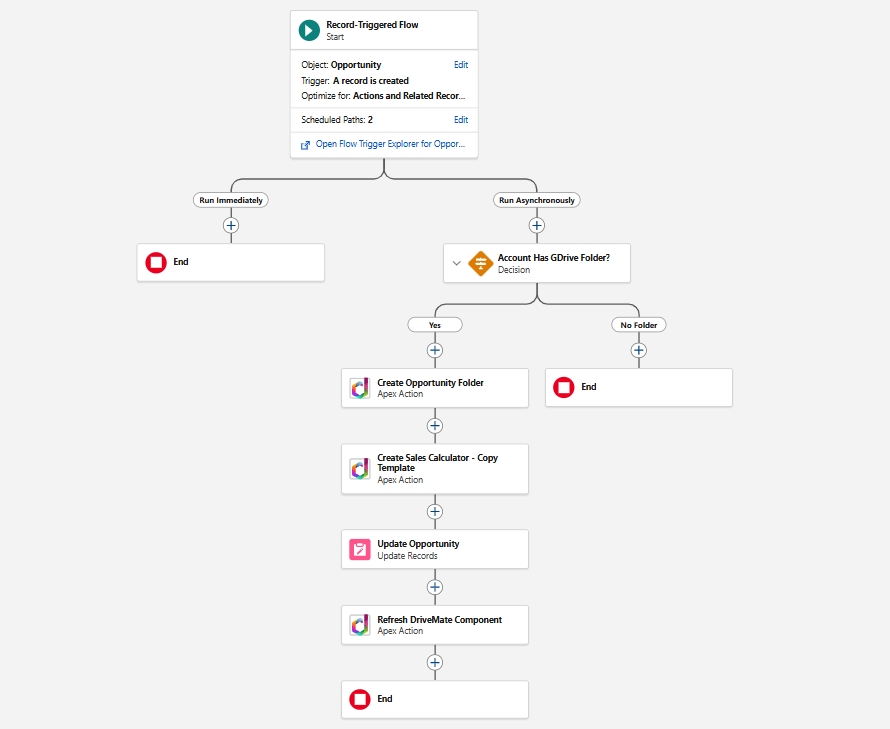
This record-triggered flow fires when a new Opportunity is created. It checks the parent Account's Google Drive folder, creates a subfolder for the Opportunity, copies the Sales Calculator template into it, and stores the references back on the Opportunity.
Create the Flow
- Go to Setup > Flows > New Flow.
- Select Record-Triggered Flow.
- Configure the trigger:
- Object: Opportunity
- Trigger the flow when: A record is created
- Optimize the flow for: Actions and Related Records
- Under Run Asynchronously, add a scheduled path with Run Asynchronously set to immediately after the record is saved.
Check If the Account Has a Google Drive Folder
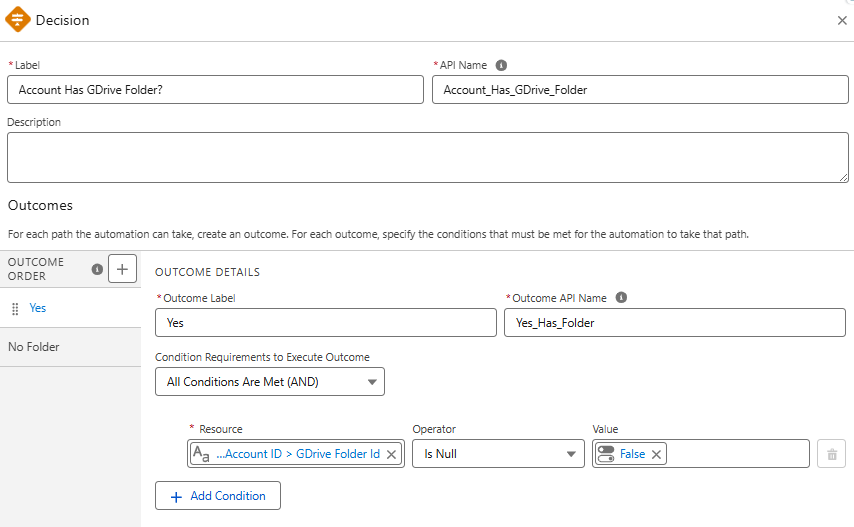
- Add a Decision element on the async path:
- Label:
Account Has GDrive Folder? - Outcome "Yes":
{!$Record.Account.GDriveFolderId__c}is null =False - Default Outcome: "No Folder" (flow ends)
- Label:
Create the Opportunity Folder
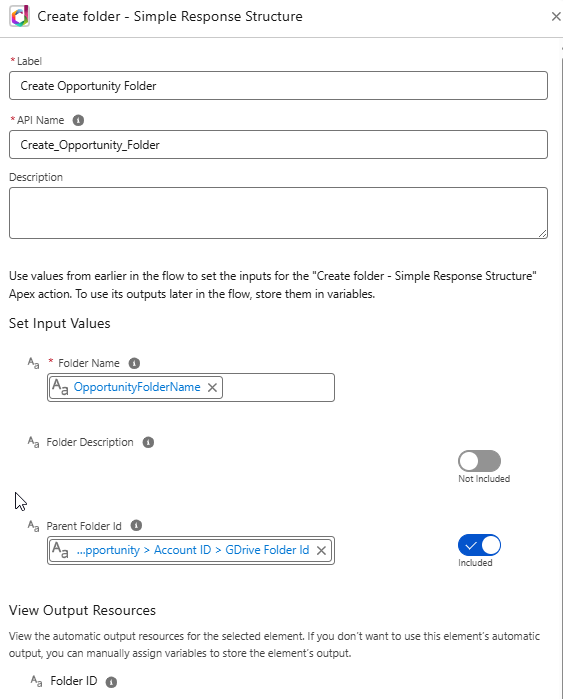
- On the "Yes" path, add an Action element:
- Action:
Create folder - Simple Response Structure(DriveMate) - Folder Name: a formula
"Opportunity - " + {!$Record.Name} - Parent Folder Id:
{!$Record.Account.GDriveFolderId__c} - Label:
Create Opportunity Folder - Store outputs automatically.
- Action:
Copy the Template Spreadsheet
- Create a formula resource:
SpreadsheetTitle (Text):
{!$Record.Name} + " - Sales Calculator"
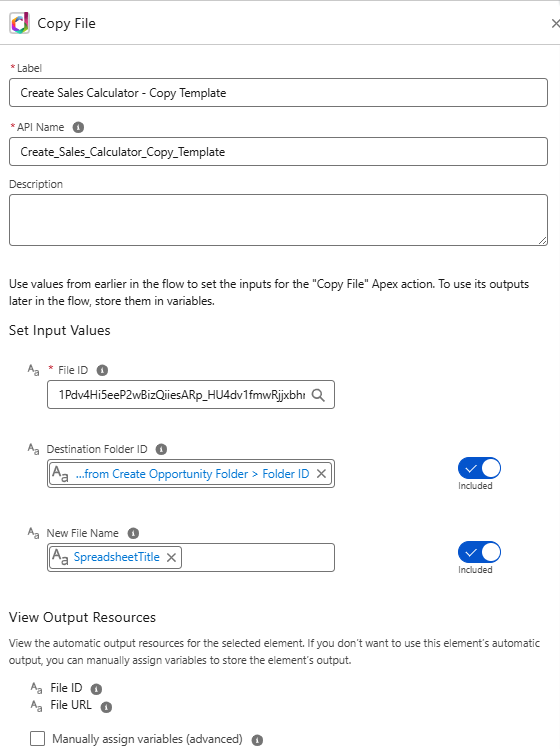
- Add an Action element:
- Action:
Copy File(DriveMate) - File Id: the ID of your Sales Calculator template spreadsheet
- New File Name:
{!SpreadsheetTitle} - Destination Folder Id:
{!Create_Opportunity_Folder.folderId} - Label:
Create Sales Calculator - Copy Template - Store outputs automatically.
- Action:
Where to find the template ID
Open your template spreadsheet in Google Sheets. The spreadsheet ID is the long string in the URL between /d/ and /edit - for example, in https://docs.google.com/spreadsheets/d/1Abc123xyz/edit, the ID is 1Abc123xyz.
Save References and Refresh the Component
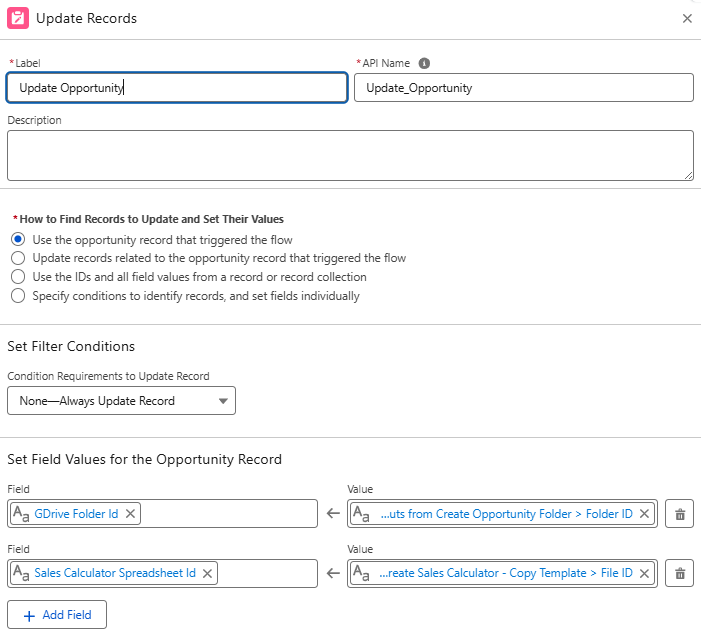
- Add an Update Records element:
- Record: the triggering Opportunity
- Set fields:
GDriveFolderId__c={!Create_Opportunity_Folder.folderId}SalesCalculatorSpreadsheetId__c={!Create_Sales_Calculator_Copy_Template.fileId}
- Add an Action element:
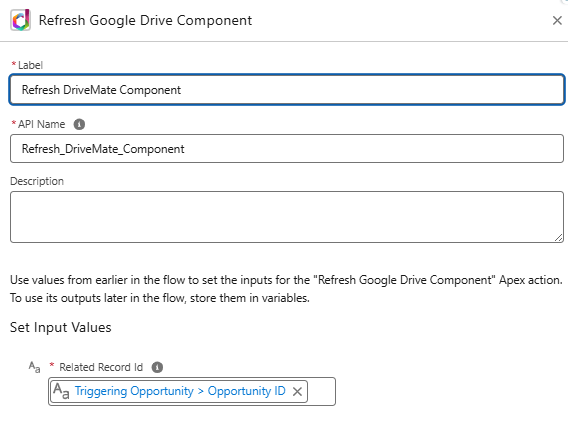
- Action:
Refresh DriveMate Component(DriveMate) - Related Record Id:
{!$Record.Id}
- Action:
- Save the flow as
Sales Calculator: Create After Opportunity Creationand Activate it.